

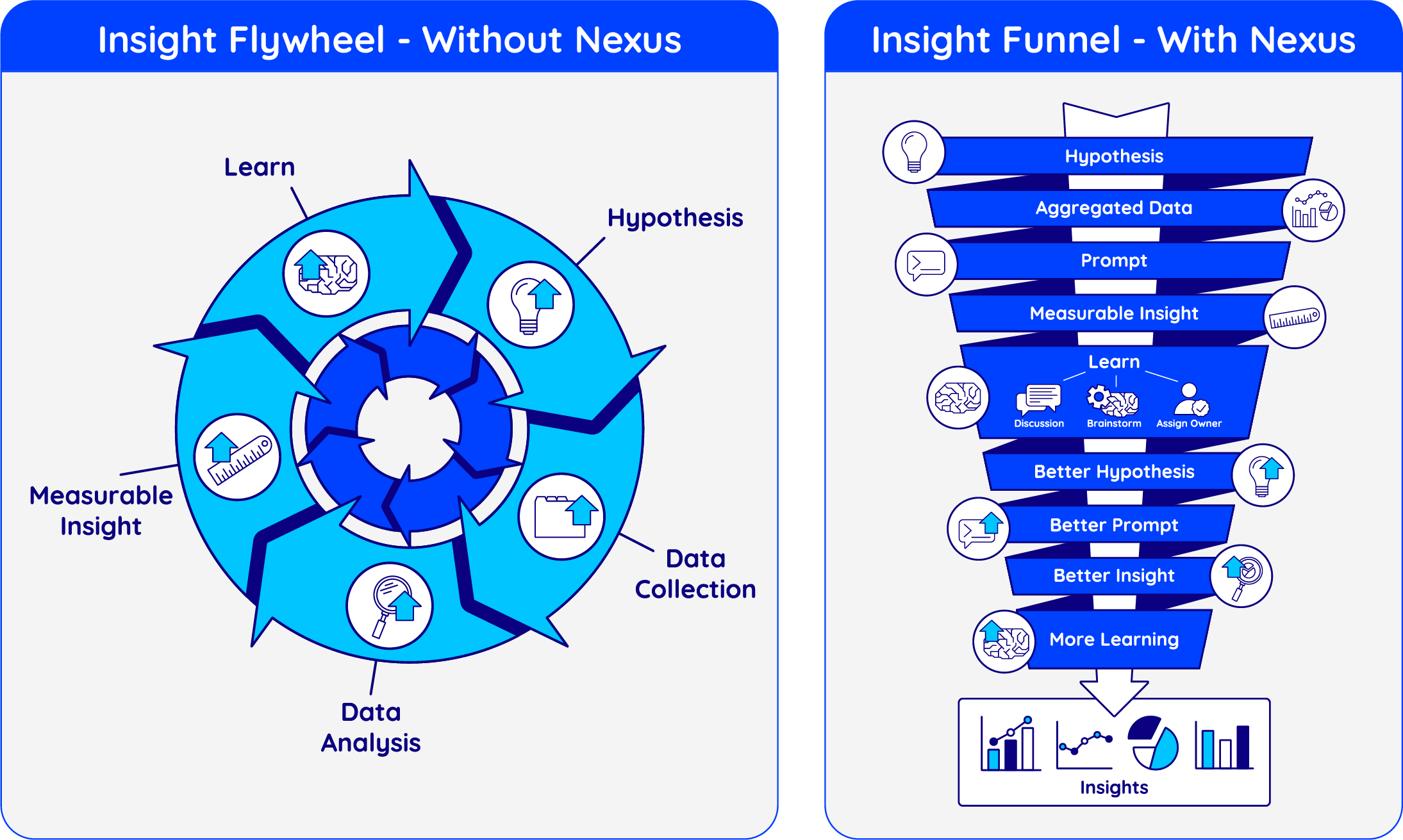
Every district faces the same challenge: the space between a question and an answer, what we call the Messy Middle. It’s where definitions need aligning, data needs cleaning, and systems need reconciling before anyone can even start to analyze. Without Nexus, this work happens inside a slow Insight Flywheel, a circular process that loops endlessly through collecting, cleaning, and analyzing data, often taking weeks to produce one insight. With Nexus, that circular flywheel compresses into an Insight Funnel, a streamlined path that uses AI to standardize definitions, automate joins, and surface insights in minutes instead of weeks. The result: faster answers, clearer decisions, and measurable time saved between curiosity and action.
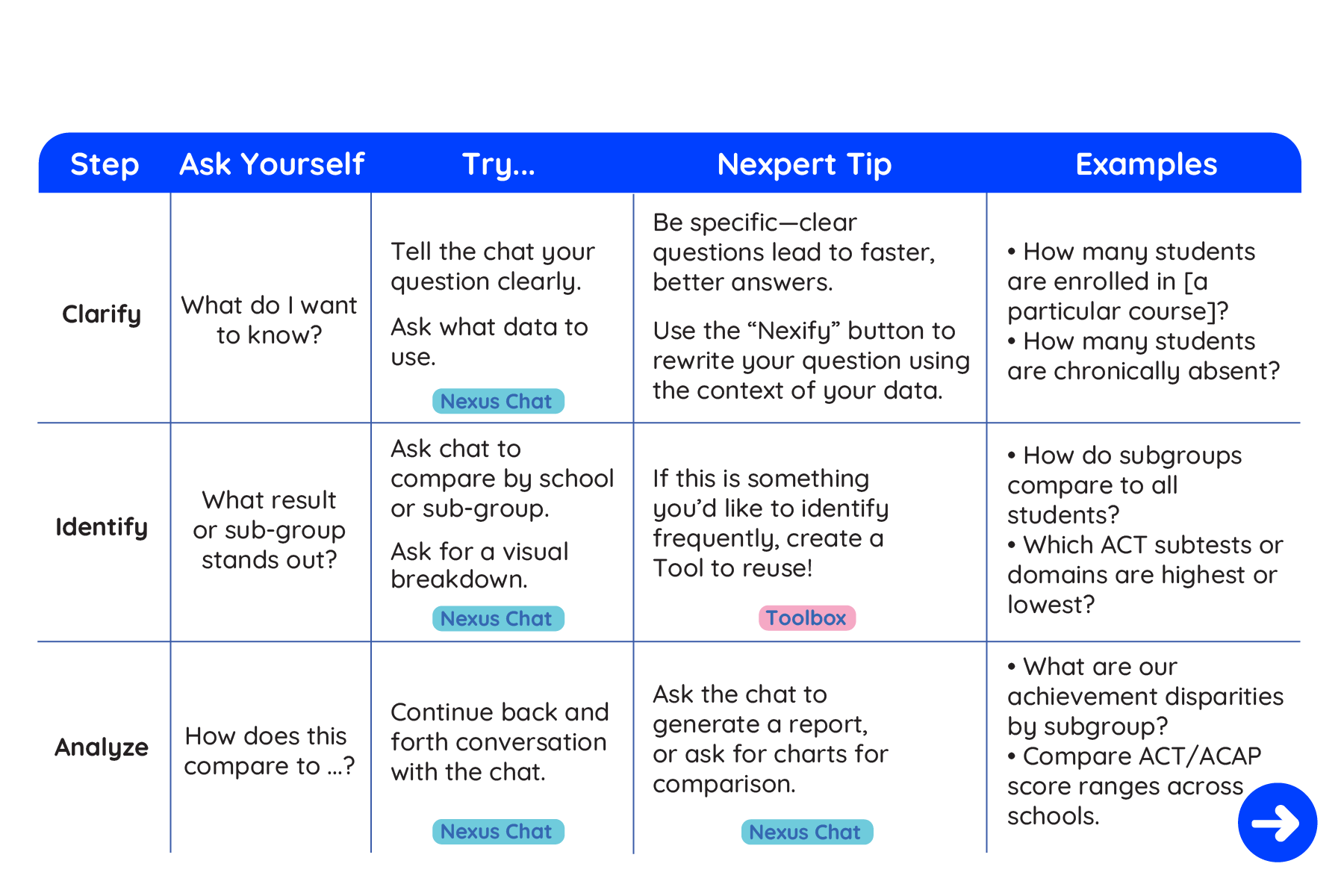
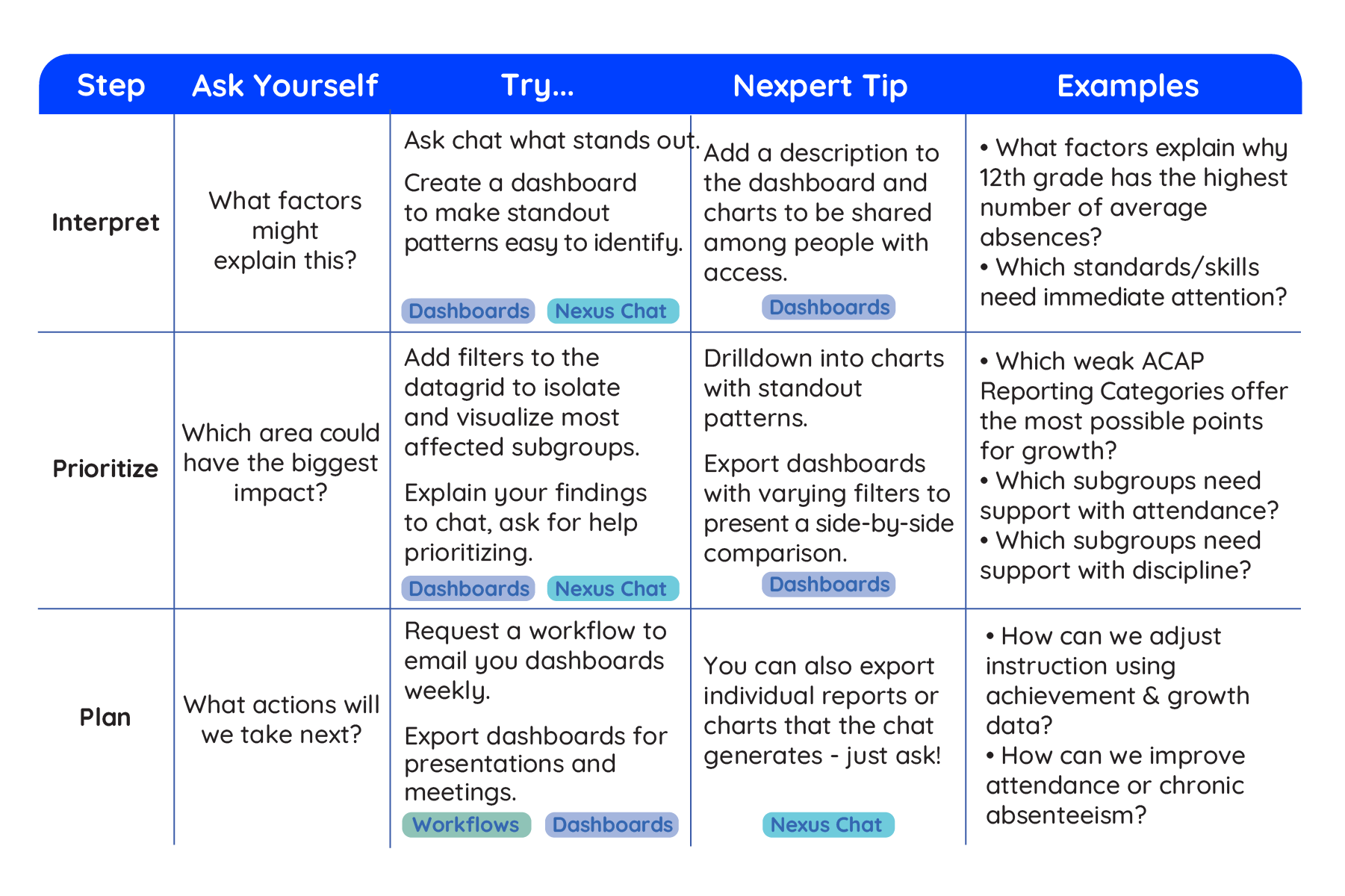
From insight to Action. There are a few helpful questions to ask yourself to start the Nexus insight process. They are:
You can use this every time insights through Nexus are needed. It keeps conversations structured, ensures accountability, and creates a chain of evidence that Nexus stores for future learning.
Not every question needs the same kind of interaction. Some insights are instant while others benefit from a short back-and-forth or a bit of extra context. Knowing, roughly, which kind of question you’re asking helps Nexus guide you faster and more accurately toward the right outcome.
Every query in Nexus starts as a conversation. The clearer and more intentional your question is, the faster you’ll uncover something useful. Some prompts are simple with a direct question like, “How many 3rd graders were absent yesterday?” returns a single answer or chart. Others unfold through back-and-forth exchanges, such as, “Show attendance by grade,” followed by, “Now highlight Tier 2 students.” These conversational turns help refine focus and context.
At times, Nexus may ask for more detail, things like date range, cohort, or test window, before completing the request. Providing those specifics keeps responses accurate and avoids looping clarification. You can also specify how you want results presented, from a quick chart to a board-ready summary.
You can also use Nexus to generate hypotheses and surface hidden insights. For example, asking, “What factors might be affecting Grade 5 math scores?” encourages Nexus to identify correlations, patterns, or trends that may not be immediately obvious, giving your team a starting point for deeper investigation.
Ultimately, good conversations lead to good insights. The goal isn’t just to ask questions, but to shape them while narrowing, expanding, and refining until the data starts talking back.
For more tips on conversing with Nexus, and how to prompt engineer basic or more advanced prompts, visit our Prompt Engineering Tooltip.
Nexus is designed to help teams move faster from questions to insights, uncover patterns that might otherwise go unnoticed, and turn data into clear, actionable decisions. Every conversation, every analysis, and every decision builds on the last, creating a workflow that becomes smarter and more efficient over time.
We’re constantly updating the platform to make it even easier for teams to collaborate, explore data, and act on what matters most. If you have questions, ideas, or want to see how Nexus can support your district’s workflow, simply reach out to our team at support@asknexus.ai and we will ensure you are getting the most out of your data.

