New Features: Introducing Teams and Profiles!
Profiles and Teams are now live in Nexus! Districts can now organize and document their vision, priorities, and team information all in one place. These profiles create a shared source of truth that keeps everyone aligned and ensures your goals are clearly represented across the platform. And soon, Nexus Chat will begin using this context to deliver an even more personalized, district-aware experience. Log in to your Nexus account and start building your profiles today!
Profile
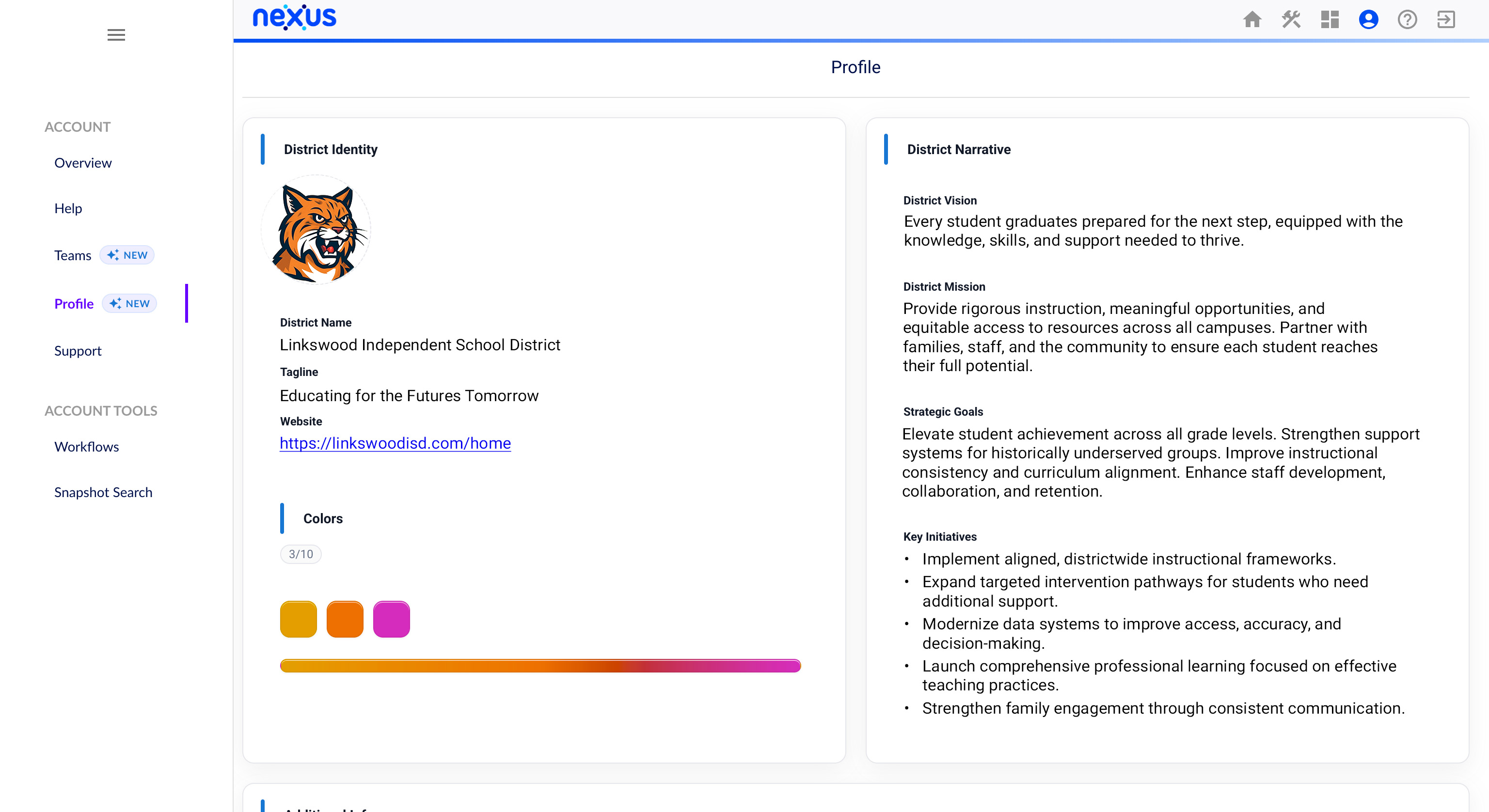
Your District Profile can also be customized, provided you have the appropriate permissions. Under District Identity, you’ll find fields for the district logo, name, tagline, website, and colors. On the right, the District Narrative section lets you define the District Vision, District Mission, Strategic Goals, and Key Initiatives. Scrolling down, you’ll see the same fields available on the Teams page: Additional Info for any extra details you want to include, Important Dates for key timelines, Important Links for reference materials, and Files for uploading documents your team relies on. Together, these fields keep everything organized in one place.
Teams
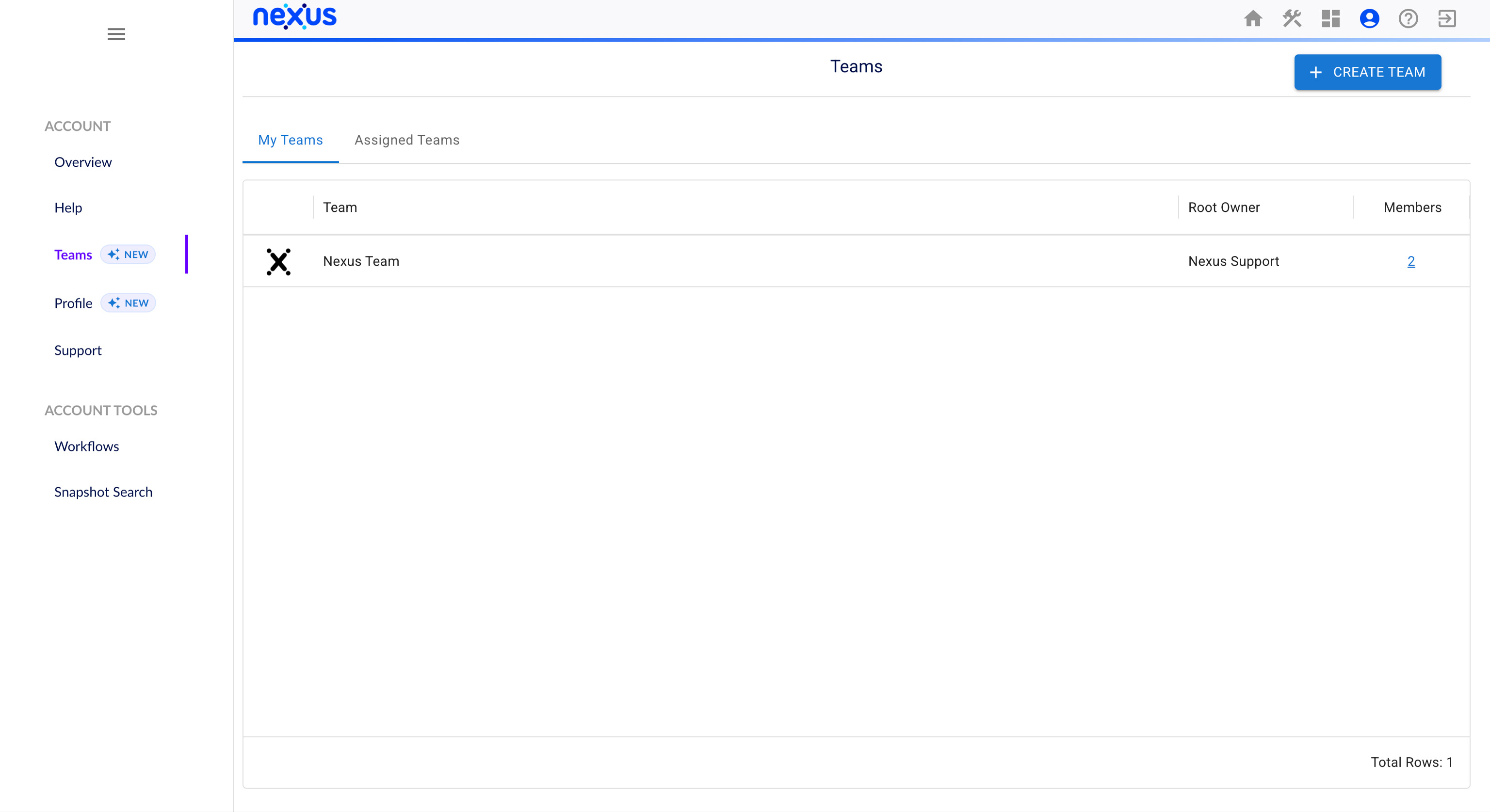
The Teams page is located in the Account tab of your Nexus account. From there, you can view your teams, see the teams you’ve been assigned to, and create new ones. Teams keep your district aligned and connected.
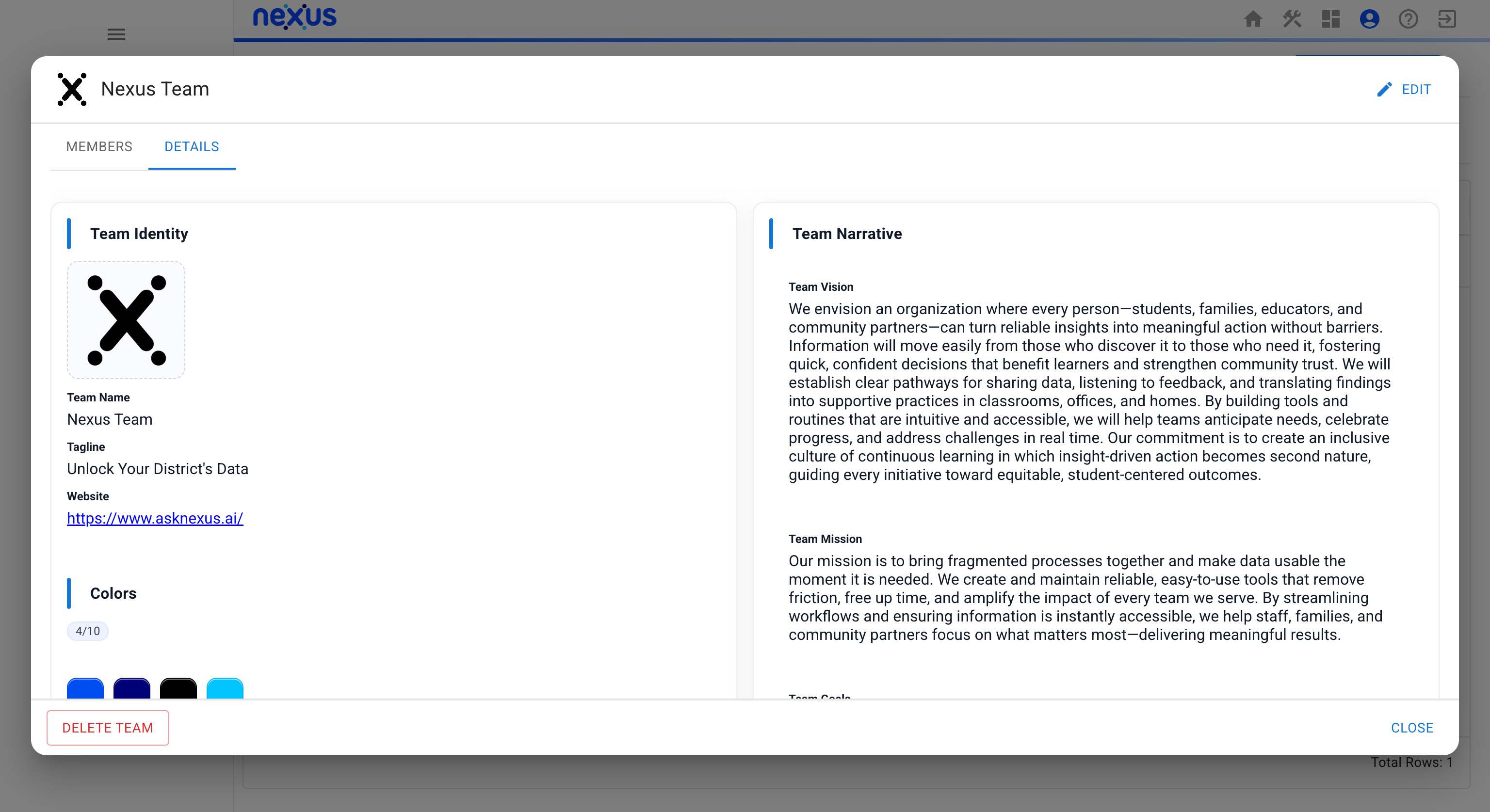
When you open an existing team or create a new one, you’ll see a popup with fields for defining the team. The left side includes Team Identity details, logo, name, tagline, website, and colors. The right side captures the Team Narrative, including Vision, Mission, Goals, and Key Initiatives. Together, these fields create a clear, centralized picture of your team’s priorities. And soon, Nexus Chat will use this context to deliver more tailored, team-aware support as you work. The example above shows what a completed profile might look like for a Nexus team.
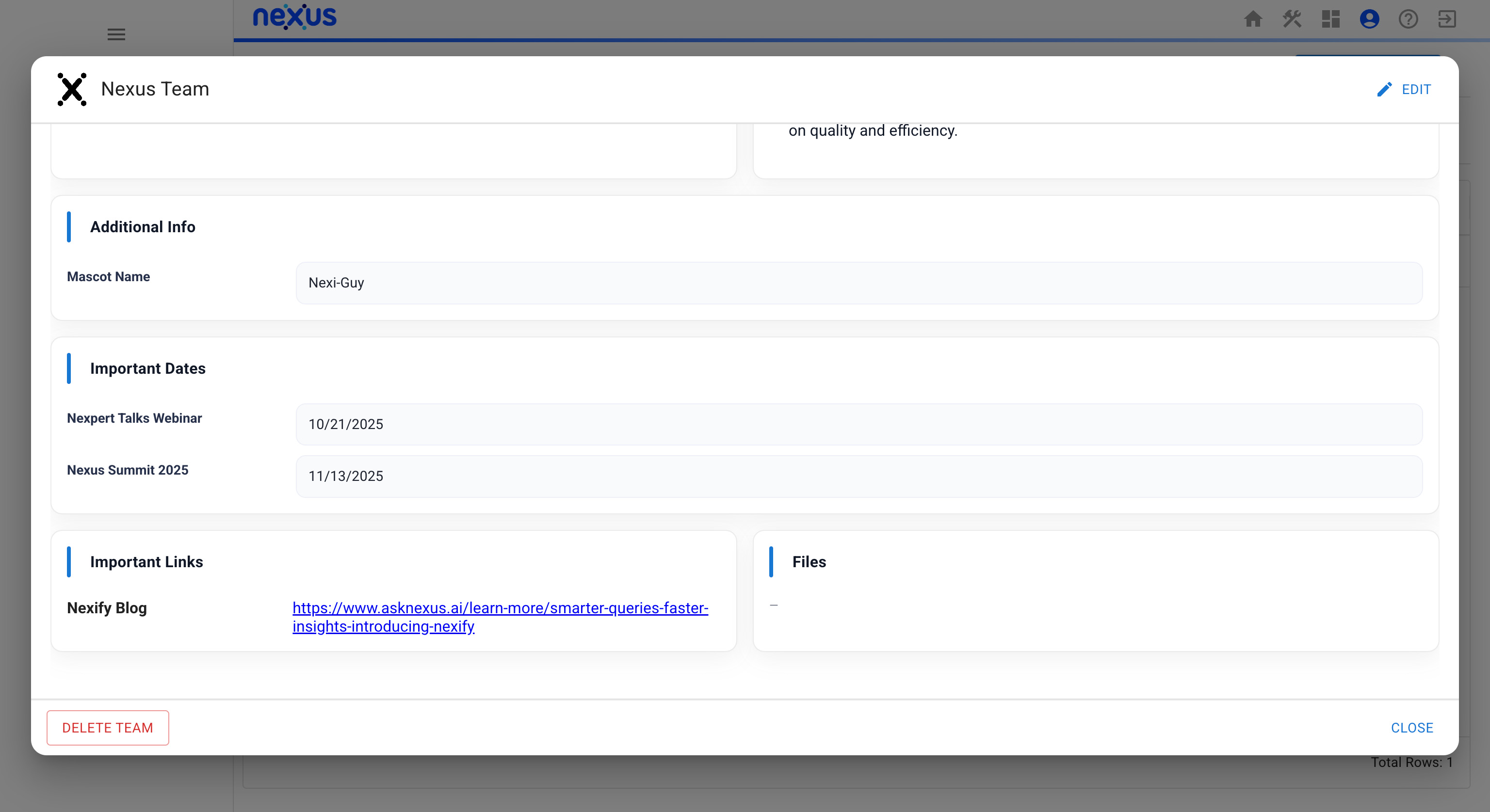
Scrolling down reveals additional fields. Additional Info is a flexible space for any extra details you want to include. Important Dates lets you add key timelines. Important Links provides a place to store reference links for your team. Files lets you upload key documents to keep everything organized in one place.
Overview Updated

The Overview tab also received an update with a new User Profile section. This gives you a place to personalize your information, highlight your role, and share key details about your work. It helps keep your Nexus experience organized and clearly aligned to how you contribute across your district.


